
24 Oct Explore Artful Agenda’s New Task Alarms and Fall 2025 Planner Collection
At Artful Agenda, we’re always looking for ways to make digital planning even more intuitive, flexible, and inspiring. We’ve listened to your feedback and are thrilled to introduce a much-requested feature and a cozy fall-themed sticker and cover bundle that we know you’ll love. Here’s a closer look at what’s new in Artful Agenda!
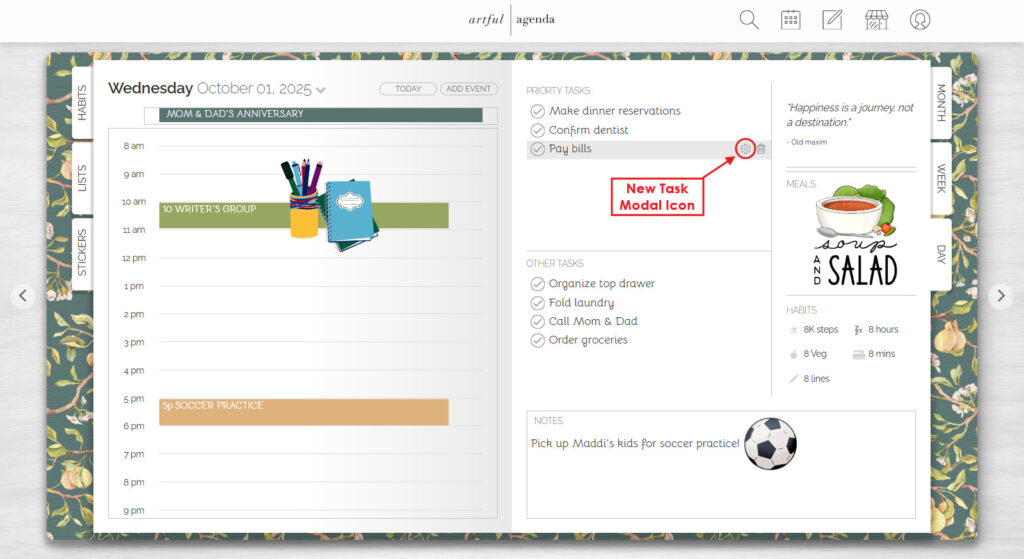
Alarms for Tasks: Never Miss a Beat
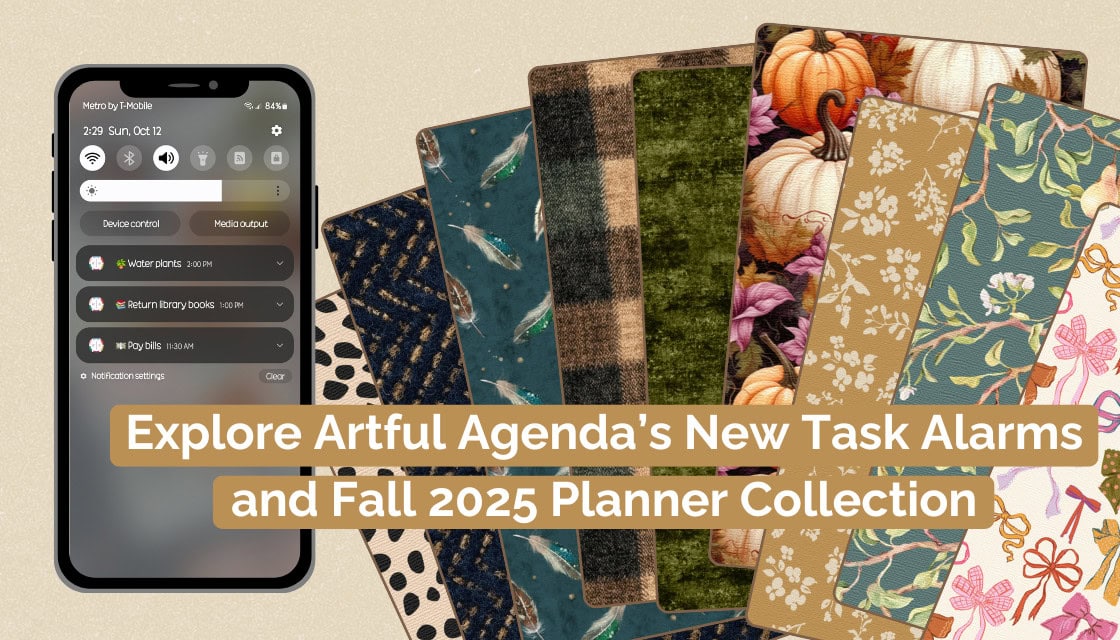
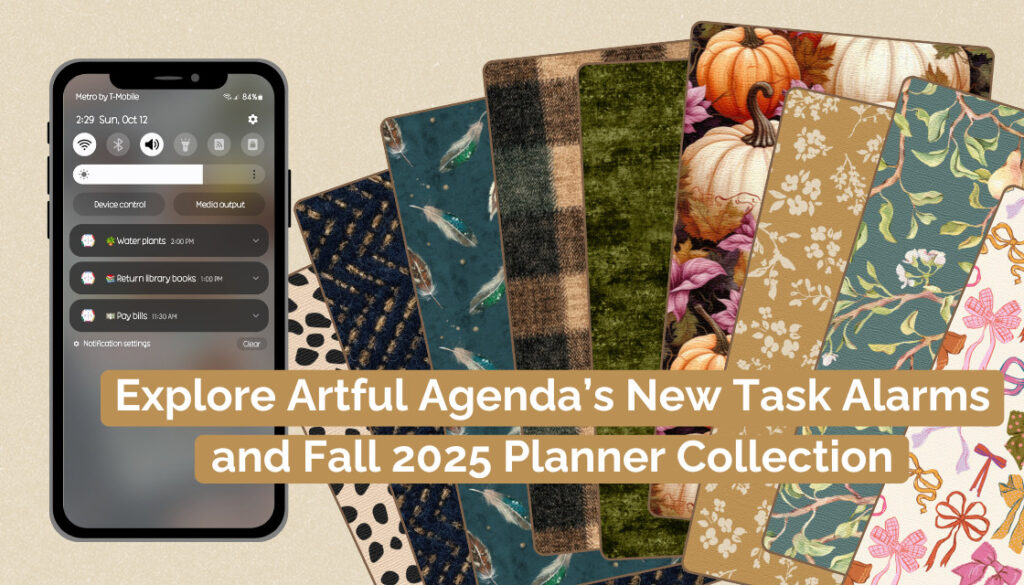
One of our most requested features has officially arrived: you can now set alarms for your tasks and goals! This exciting update gives you the ability to schedule push notifications, keeping you on track and ensuring that important to-dos never slip through the cracks.
Along with alarms, the entire task modal has been redesigned for a smoother, smarter experience. Here’s a breakdown of what’s new:
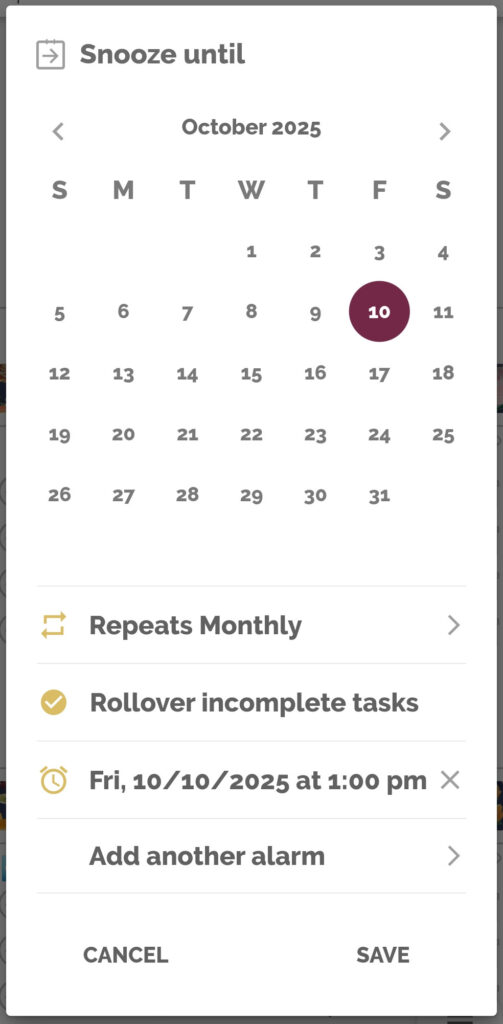
- Redesigned Task Modal:
The alarm clock icon in each task box has been replaced with a gear icon, which opens the new task modal. At the very top, you’ll see our updated snooze/move icon, which is now a calendar icon instead of a clock. This section displays a mini monthly calendar with today’s date highlighted in your default calendar color. From here, you can quickly move a task or goal to another day, week, or month. - Repeat & Rollover Options:
Below the calendar, you’ll find the new “Repeat Options” modal, which makes it easy to set recurring tasks for daily, weekly, monthly, and yearly intervals. Just under that is the “Rollover unchecked tasks” toggle, which you can turn on (gold) or off (gray) depending on your preference.
👉🏻 For a quick walkthrough of these functions and insight into when to use each one, check out this video: Repeat and Rollover Tasks in Artful Agenda. - Add Alarms for Tasks and Goals:
This is where the magic happens! You’ll now see a clock icon next to “Add alarm.” Tap it to open the alarm modal, where you can set default alarms for morning (8 a.m.), afternoon (1 p.m.), or night (8 p.m.). Prefer a different time? Choose “Custom” to set a push notification for whenever you like.
After you’ve selected your alarms, choose “Update Alarms” — and if one reminder isn’t enough, you can select “Add another alarm”. There’s no limit to how many alarms you can set, so you can stay perfectly in sync with your schedule.
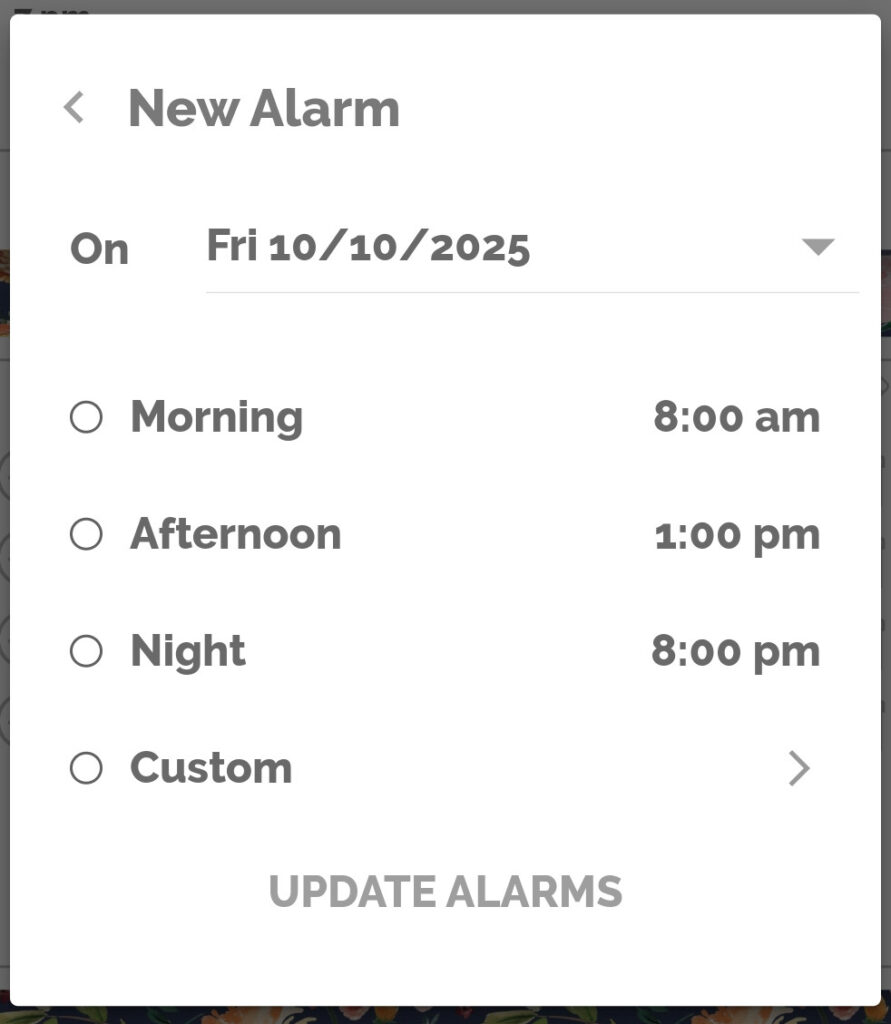
Once your preferences are set, tap “SAVE”, and your task is ready to go — organized, timed, and customized to meet the needs of your routine.
New Icon, Same Great Features
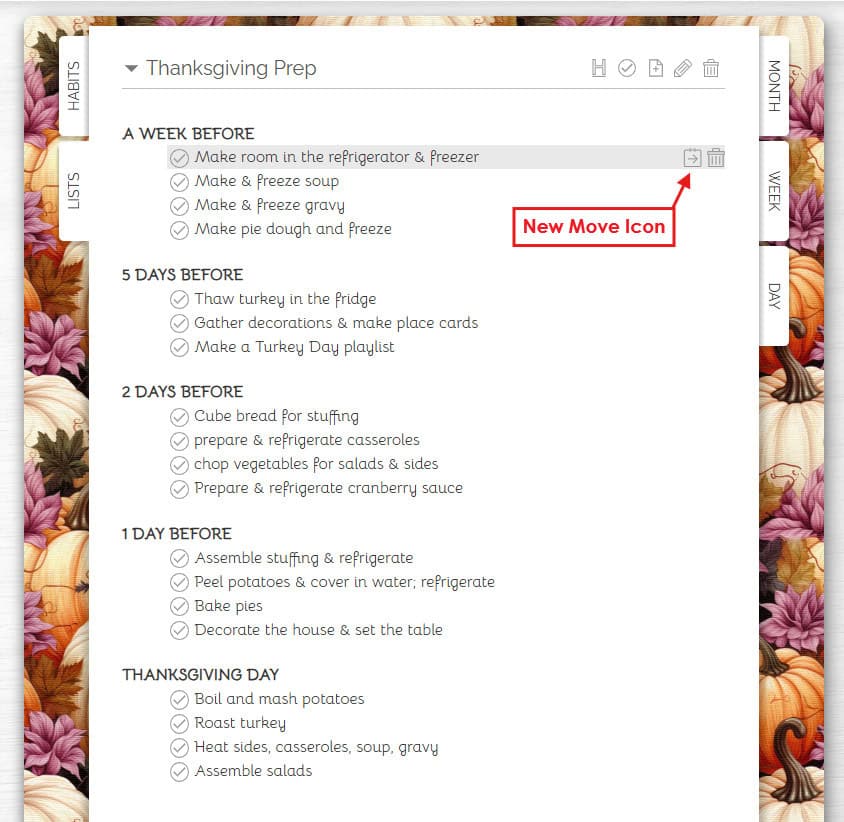
You’ll also notice an update on the Lists tab: the old clock icon has been replaced with the new snooze/move icon (a calendar with an arrow). This function lets you assign any list item to a specific task or goal box, adding even more flexibility and helping you seamlessly connect your lists to your daily planning workflow.
Fall Covers & Sticker Pack Bundle: Sweater Weather Meets Planner Style
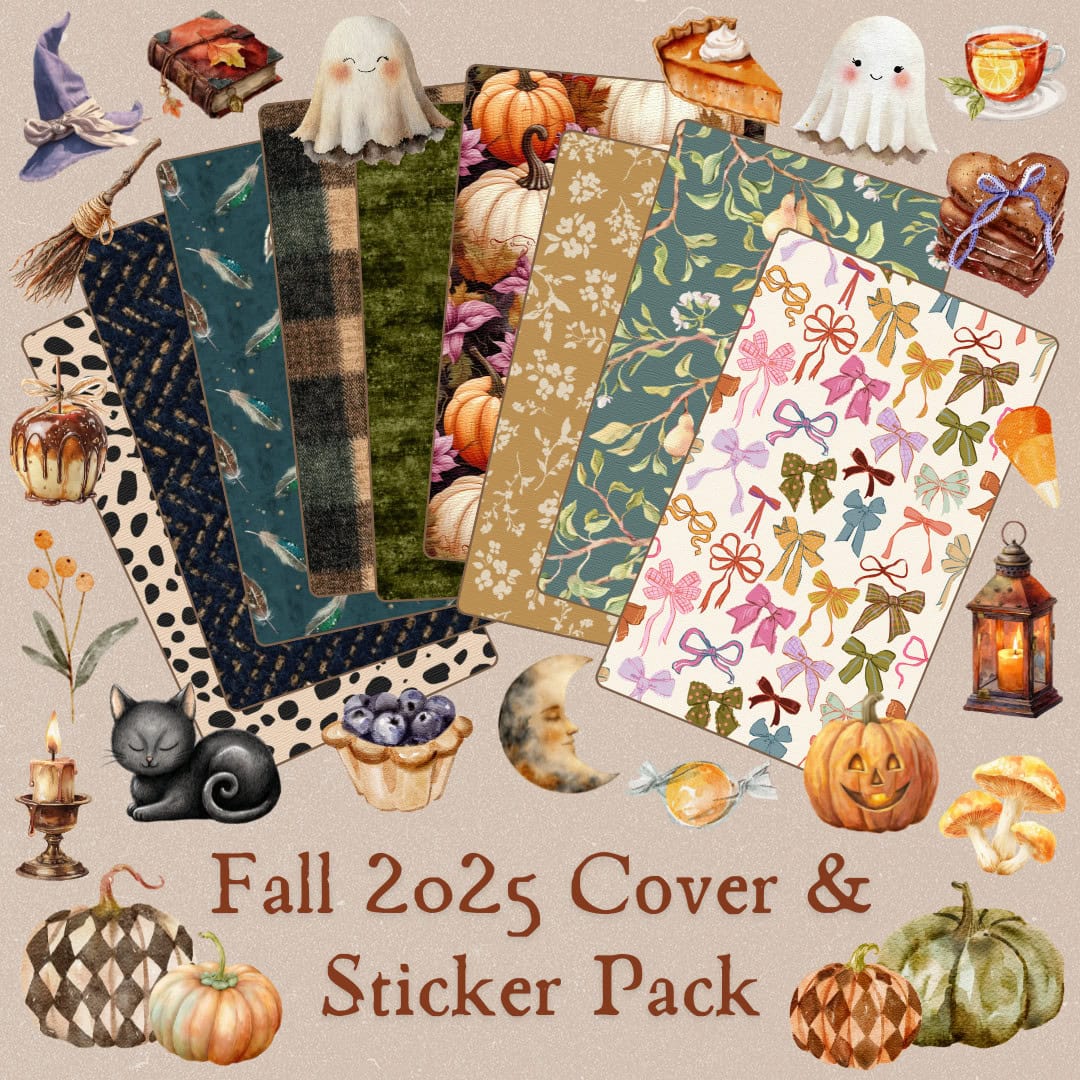
To celebrate the cozy season ahead, we’re introducing our premium Fall 2025 Cover & Sticker Pack bundle, available now in the Live Artfully Store.
Say hello to sweater weather and golden afternoons with our Fall 2025 Cover & Sticker Pack—your planner’s new trip to the pumpkin patch! Inside, you’ll find nine dreamy covers and two brand-new sticker packs:
- Autumn Alphabet – A beautifully illustrated set of letters and numbers, perfect for labeling, decorating, and adding a personalized touch to your pages.
- Wickedly Cozy – A warm, whimsical collection full of fall magic and cozy vibes, from pumpkins to steaming mugs of cider.
These premium designs will make scheduling feel as lovely as an October sunset, giving your planner the perfect seasonal refresh.
Get Started with the New Features Today
At Artful Agenda, our goal is to make digital planning both delightful and effective. With the new alarms for tasks, the redesigned task modal, and our cozy Fall 2025 bundle, it’s easier than ever to plan beautifully and live artfully.
Ready to explore these updates?
Update your app today to start setting alarms, moving and repeating tasks with ease, and visit our Live Artfully Store to grab the stunning new fall covers and sticker packs. We can’t wait to see how you make them part of your planner this season!
Taisha Aursby
Posted at 19:12h, 24 OctoberThis update is Wickedly Wonderful!!!!
A true game changer- Thank You AA Team!!!
Rosemary Morrison
Posted at 19:33h, 24 OctoberWe are thrilled to hear that you are happy about this new update Taisha!
Saidah Sudan
Posted at 19:29h, 24 OctoberI’m loving this but do we have to pay for the alarm and are there different sounds
Rosemary Morrison
Posted at 19:32h, 24 OctoberHi Saidah! We are so happy that you are loving the new feature. It should make the same sound as your default push notification on your phone or tablet. If you are experiencing an issue, please submit a support ticket through the app and our team will help you troubleshoot.
Cassie B
Posted at 21:06h, 24 OctoberFinally!!!!!! I’ve been praying for this day!! Thank you!!
Rosemary Morrison
Posted at 12:36h, 27 OctoberWe are so happy to hear you are loving the new feature!
Joni Mackey
Posted at 22:02h, 24 OctoberCan we get an update where I can change my time zone and it stays? Sometimes I forget to change it on my task/event and it messes me all up!
Rosemary Morrison
Posted at 12:36h, 27 OctoberHi Joni! You can set your default time zone in your source calendars(s). After you make the change in your Google, Outlook, or iCloud Calendar, you return to Artful Agenda and Calendar Settings > Sync Calendars to pull the change through. If you have any issues please reach out to Tech Support through your app. https://artfulagenda.com/faq/#default-time-zone
Laura McEwen
Posted at 02:02h, 25 OctoberYeah!! Onwards and upwards!! Soo happy I have this!
Rosemary Morrison
Posted at 12:36h, 27 OctoberWe are thrilled that you are enjoying the new feature Laura!
Kelly Lamontagne
Posted at 22:56h, 25 OctoberLove the new Fall 2025 pack! It’s fantastic! Your little additions to add to agenda pages just keep getting better and better looking. Great job!
Rosemary Morrison
Posted at 12:37h, 27 OctoberWe are so happy to hear you are loving the Fall cover and sticker bundle and the new features. Happy planning Kelly!
maria hanley
Posted at 23:26h, 26 OctoberThese changes sound great. I have 2 questions. 1) do you have to pay for the update and 2) I primarily use AA on my laptop, will the updates be able to use on that?
Rosemary Morrison
Posted at 12:39h, 27 OctoberHi Maria! This feature is included in your Artful Agenda subscription. No extra charge! You can create the task alarms on your laptop, but the notifications will only come through on your phone or tablet unless you have your mobile device linked to your computer.