
08 Apr Artful Agenda vs. PDF Digital Planners: What’s the Difference and Why It Matters
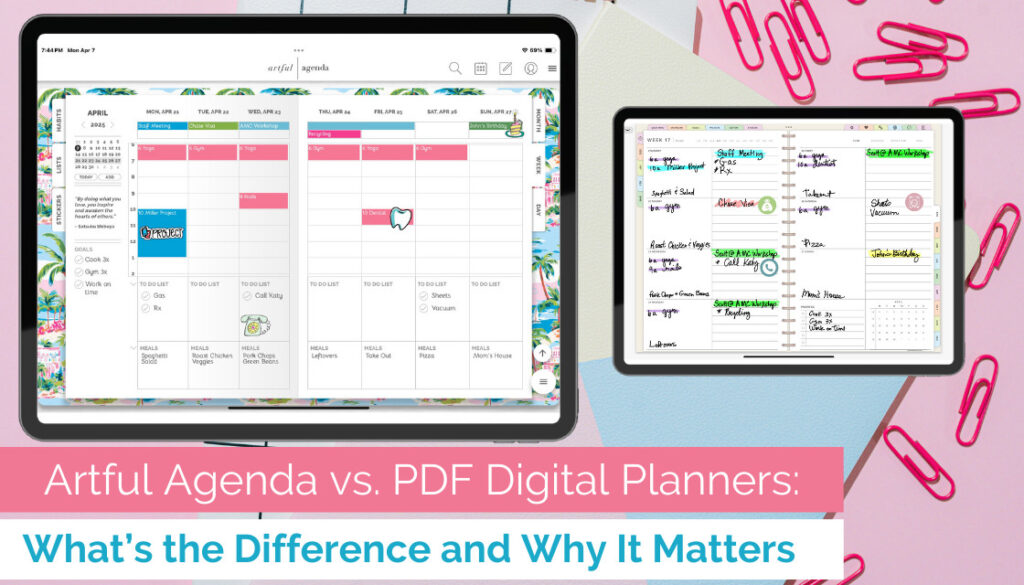
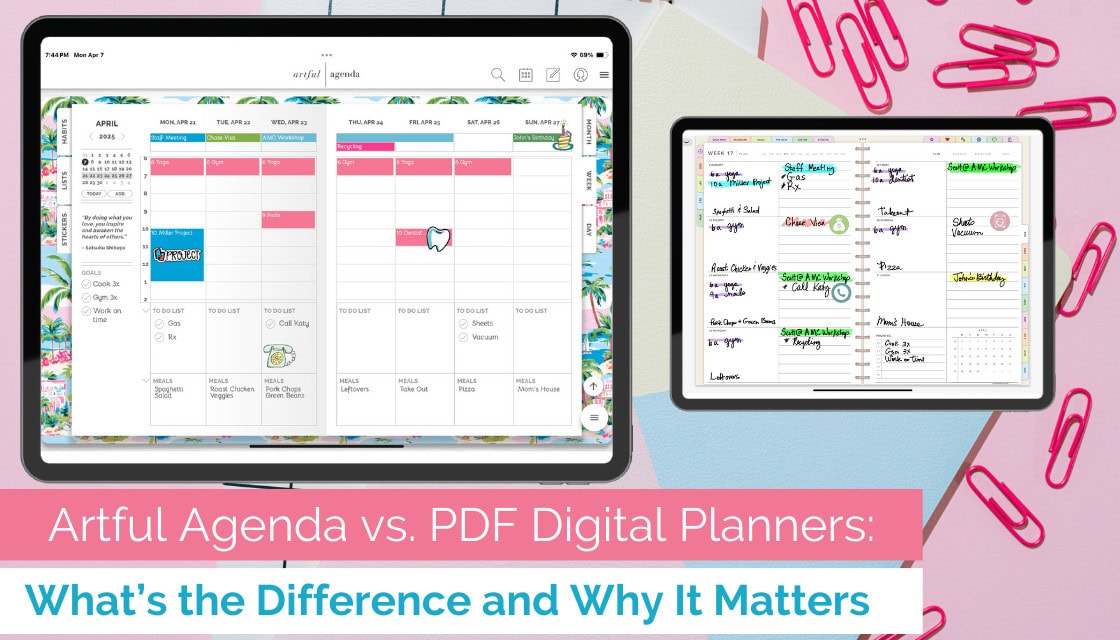
If you’ve dipped your toes into the world of digital planning, chances are you’ve come across two very different options: Artful Agenda and PDF-style digital planners (think: the kind you use in GoodNotes or Notability). At first glance, they might seem similar—they’re both pretty, digital, and paper-free—but when you take a closer look, the differences are major.
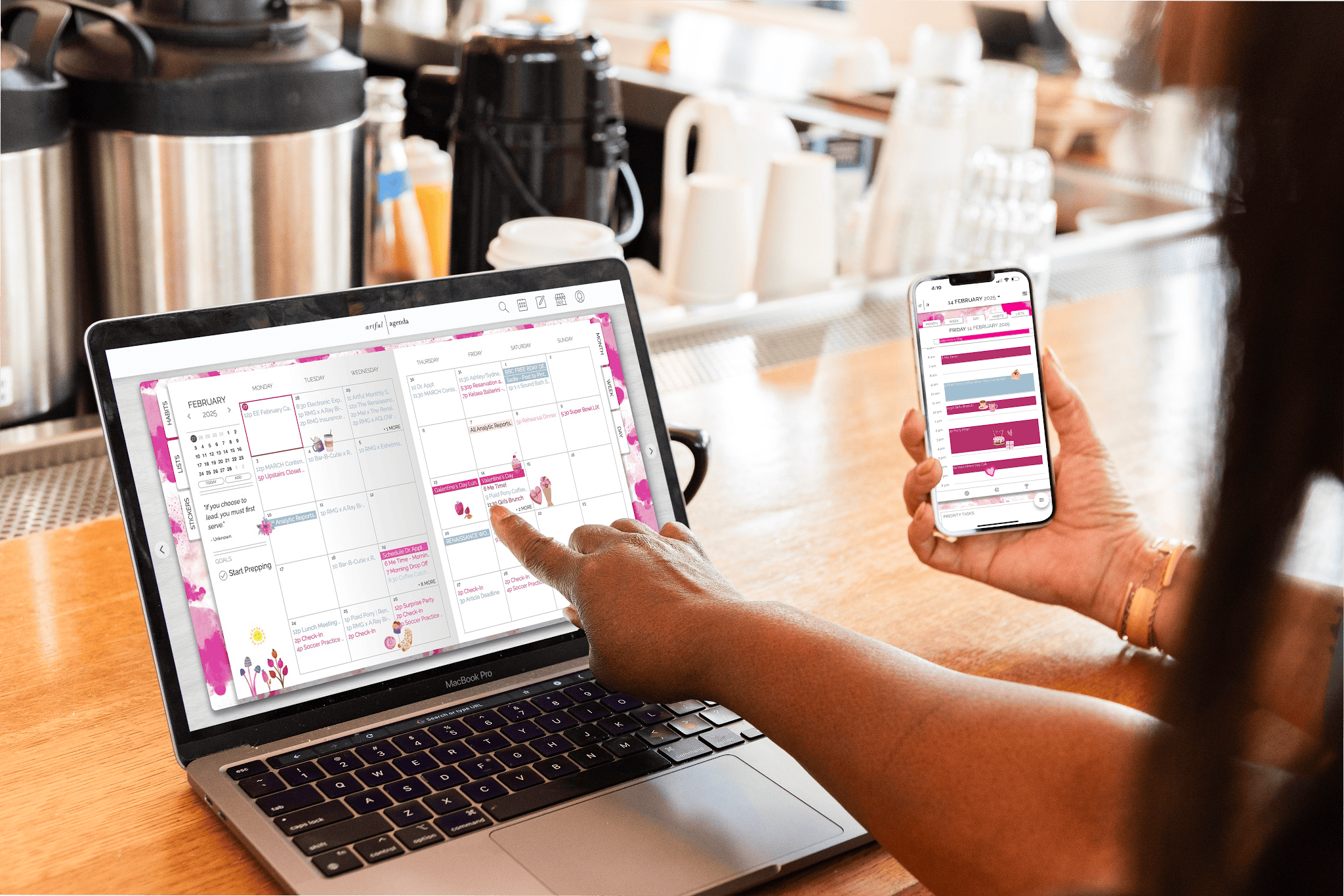
Artful Agenda isn’t just a digital version of a paper planner—it’s a fully interactive, smart, and syncing powerhouse that blends beauty with serious functionality. Meanwhile, traditional PDF planners are more like digital notebooks that you annotate by hand or with text boxes. Let’s break it down and show you exactly how Artful Agenda stands out:
1. Cross-Device Syncing
Ever scribbled something into your PDF planner on your iPad and then had to retype it on your phone? Not fun.
With Artful Agenda, everything syncs automatically across your devices—mobile, tablet, and desktop. No more manual updates, and no matter where you check your schedule, it’s always current.
2. Typing Over Handwriting
Handwriting on a tablet can feel nostalgic… until you’re rushing to add a task and your stylus is out of charge.
Artful Agenda lets you type quickly and cleanly using beautiful, built-in fonts. No stylus required, no messy scrawls—just clear, readable plans at your fingertips.
3. Interactive Digital Features
This is where Artful Agenda really shines. PDF planners are static—you have to rewrite or manually copy and paste recurring events, can’t move things around easily, and there’s no built-in intelligence.
With Artful Agenda, you get:
- Automated recurring events (no more rewriting “Yoga at 6am” every single day)
- Drag-and-drop scheduling (because flexibility is key)
- Calendar syncing with Google, Apple, and Outlook (yes, all three!)
4. Customization Without the Hassle
Sure, PDF planners look cute… but customizing them can be a lot of work. Finding, downloading, importing, and resizing stickers? That’s a whole project.
Artful Agenda keeps things fun and simple with:
- Built-in themed stickers
- Custom colors, covers, and fonts
- Easy tap-to-change design options that let your personality shine—no effort required
5. Smarter Task Management
Planning isn’t just about your schedule—it’s about your to-dos too. Artful Agenda lets you:
- Roll over unfinished tasks to the next day (so satisfying)
- Create categorized lists (work, personal, groceries—you name it)
- Stay organized without sticky notes floating all over your screen
PDF planners? You’re rewriting that to-do list yourself, every single time.
6. No Stylus? No Problem.
Styluses are great, but they’re not always convenient. Whether you’re on your phone at the grocery store or typing on your laptop, Artful Agenda is designed for tap, type, and go.
7. Instant Navigation, Zero Scrolling
Instead of flipping or scrolling through endless pages to find a note or a past plan, Artful Agenda’s search feature and clean layout help you jump straight to what you need—no page turning required.
Bottom Line?
PDF planners may be beautiful, but they’re still static documents. Artful Agenda, on the other hand, is a dynamic digital planner that brings your plans to life. With syncing, typing, automation, customization, and organization all built in, it’s truly the best of both worlds: the charm of paper planning with the power of a smart app.
So if you’re looking for a digital planner that keeps up with your real life? Artful Agenda has your back. 😊
Want to see the difference for yourself? Start your free trial today and experience how planning should feel—stylish, seamless, and seriously satisfying.
Pat Tristram
Posted at 14:56h, 11 AprilIs there a means to enlarge the columns in the week planner
Rosemary Morrison
Posted at 19:56h, 11 AprilHi Pat! If you are a computer or a tablet, you can collapse the two boxes at the bottom to expand the schedule columns.
Katie
Posted at 22:17h, 16 AprilI was just wondering if you would ever consider making a teacher planner? Or just adding it to your weekly view as a choice?
Rosemary Morrison
Posted at 21:04h, 18 AprilHi Katie! We get lots of good ideas from subscribers. Please submit it via the Tech Support section of your Artful Agenda under the category Artful Suggestions. That way we can make sure that the developers will see it and it doesn’t get lost here. Thanks! If you haven’t already read our helpful blog articles for Teachers there are some tips for using your Artful Agenda for teacher planning there https://artfulagenda.com/artful-agenda-careers-planning-with-teachers/
Theresa Van Meter
Posted at 14:01h, 18 DecemberHow much is it after the free trial? Do I have to renew every year to get future years’ calendars?
Rosemary Morrison
Posted at 22:00h, 18 DecemberHi Theresa! Currently, the Artful Agenda subscription is on sale for $39.99 USD per year after the 2-week free trial of a fully functioning version of Artful Agenda so you can see if it is for you before you are charged. You can use it on all of your Mac, PC, iOS, and Android devices under your one account. Artful Agenda is a perpetual calendar, while you are subscribed you can look back and plan into the future as far as you like.
Carrie
Posted at 19:29h, 03 JanuaryIs it one subscription for my desktop and phone or tablet? Do they all sync?
Rosemary Morrison
Posted at 17:29h, 06 JanuaryHi Carrie! You can use your Artful Agenda on all of your iOS, Android, MacOS, and PC devices, under your one subscription!
Janice Silverstein
Posted at 16:49h, 26 JanuaryCan I use my own form on a page? I use a project plan page I created years ago. It fits
In OneNote but I would like to keep using it. I have created several forms
Rosemary Morrison
Posted at 19:38h, 28 JanuaryHi Janice! Currently, that isn’t a feature, but I will pass the suggestion along to the team for consideration in future updates.
Courtney Soltvedt
Posted at 22:22h, 13 MarchWould it be easy for a stylist who books several appointments a day (but also wants to keep up with my family stuff too!)
Does say an Apple Pencil work with the screen so I can easily write like I would in my paper calendar?
Rosemary Morrison
Posted at 19:21h, 15 MarchYes, Courtney! You can link both your work and personal calendar accounts through Google, Outlook, and iCloud to your Artful Agenda, to keep track of everything in one place. With the Artful Plus subscription tier you can use your Apple Pencil with the iPad app. You can learn more about Artful Plus here https://artfulagenda.com/introducing-artful-plus-elevate-your-planning-experience/